Mastering Your Calendar Through Time Blocking

I used to think that if I didn’t have a color-coded, hyper-optimized digital calendar that looked like a piece of modern art, I was failing at being an adult. I’d see these “productivity gurus” on TikTok preaching about perfectly curated schedules, and I’d just stare at my messy desk, feeling like a fraud. But here’s the thing: most of that high-level time blocking advice is just performative busyness. It’s designed to make you feel organized for ten minutes before the actual chaos of a real Tuesday hits and your entire system falls apart.
I’m not here to sell you on a life overhaul or a $50 planner that promises to fix your soul. Instead, I want to show you how I actually use time blocking to keep my freelance projects from turning into a total dumpster fire. We’re going to skip the fluff and focus on a few low-stakes, realistic tweaks that actually work when you’re tired, distracted, or just having a bad day. Let’s figure out how to make your schedule work for you, rather than making you a slave to your notifications.
Simple Time Management Strategies That Actually Stick

The problem with most productivity advice is that it feels like a second job. If your schedule is too rigid, you’ll abandon it by Wednesday. Instead of trying to account for every single minute, I’ve found that task batching vs time blocking is where the real magic happens. Batching is about grouping similar tasks—like answering all your emails in one go—so you aren’t constantly switching gears. When you combine that with dedicated blocks for your heavy lifting, you actually start to see progress without the mental burnout.
I also stopped trying to fight my brain and started working with it. One thing that changed everything for me was understanding cognitive load and time management. If I try to tackle a complex project right after a chaotic morning commute or a heavy lunch, I’m going to fail. I now try to schedule my most intense “brain work” during my natural peak energy hours. It’s not about being a machine; it’s about overcoming procrastination with scheduling that actually respects your energy levels. If you’re feeling sluggish at 3 PM, don’t force a deep dive—just use that time for the mindless, repetitive stuff.
Why Your Daily Productivity Planner Keeps Failing You

I’ve been there—sitting at my desk at 10 PM, staring at a color-coded daily productivity planner that looks like a work of art, yet somehow, I didn’t get a single meaningful thing done. The problem usually isn’t your willpower; it’s that most planners are designed for a perfect version of you that doesn’t actually exist. They assume your day will be a straight line, but real life is a series of interruptions, sudden Slack pings, and that mid-afternoon slump where your brain just decides to exit the chat. When we try to force a rigid schedule onto a chaotic day, we end up fighting our own momentum.
The real culprit is often an overlooked issue: cognitive load and time management. Most planners ask you to list every single tiny thing you need to do, which actually drains your mental energy before you even start. Instead of feeling organized, you just feel overwhelmed by the sheer volume of “stuff.” We get stuck in this loop of over-planning and under-executing because we haven’t accounted for the friction of real life. We treat our schedules like stone tablets when we should be treating them like living, breathing documents that can actually bend when things get messy.
5 Ways to Actually Make Time Blocking Work (Without Losing Your Mind)
- Stop scheduling every single minute. If you try to account for every 15-minute window, one unexpected email or a long phone call will wreck your entire day, and you’ll end up abandoning the whole system by noon. Leave some “buffer blocks” in between tasks—basically, white space for when life inevitably gets messy.
- Group your “brain-drain” tasks together. I used to jump from answering emails to deep-diving into a project, and it felt like my brain was constantly rebooting. Now, I block out one chunk for all the small, annoying admin stuff and another for the heavy lifting. It keeps the mental switching costs low.
- Treat your blocks like actual appointments. If you wouldn’t ghost a meeting with a client, don’t ghost the block you set aside for your deep work or even your lunch. It sounds intense, but if you don’t respect your own schedule, nobody else will either.
- Use “thematic days” if your workload allows it. Since I freelance, I try to dedicate certain days to specific types of energy—like making Tuesdays my “heavy admin” day and Wednesdays my “creative/deep work” day. It helps me get into a flow state much faster than a random mix of tasks.
- Color-code, but keep it simple. I use my digital calendar for the heavy lifting, but I keep the colors minimal—maybe blue for deep work, yellow for meetings, and green for personal time. If your calendar looks like a neon explosion, you’re going to look at it and feel stressed instead of organized.
The TL;DR on Making Time Blocking Work
Stop planning for your “ideal” self and start planning for your real self—leave room for the inevitable chaos, the long coffee runs, and the random Zoom calls that derail your morning.
Focus on protecting small, manageable chunks of time rather than trying to micromanage every single minute of your day until you burn out.
Use time blocking as a flexible guide, not a rigid prison; if a block doesn’t work out, just adjust it and move on instead of throwing the whole day away.
Don't Aim for Perfection, Just Aim for Tuesday
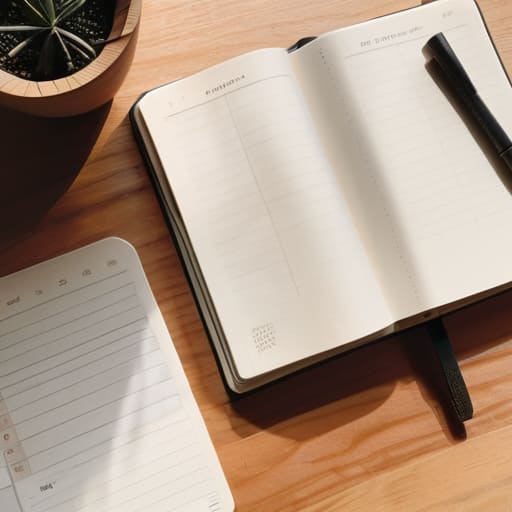
At the end of the day, time blocking isn’t about turning yourself into a productivity robot or color-coding every single second of your existence. We’ve already talked about why those rigid, over-complicated planners fail and why the “all-or-nothing” mindset is a trap. The goal is to find a rhythm that works with your actual life, not the idealized version of it you see on social media. Whether you’re carving out ninety minutes for deep work or just grouping your small, annoying admin tasks into one single afternoon block, the point is to stop reacting to every notification and start deciding how your time gets spent. It’s about creating a bit of predictable structure in the middle of the chaos.
If you try this tomorrow and your entire schedule falls apart by noon, please don’t scrap the whole idea. Life is messy, and some days are just going to be a series of interruptions and unexpected fires to put out. That’s okay. The real win isn’t having a perfectly executed calendar; it’s having the tools to reset and try again the next morning. You don’t need to redesign your entire life to feel like you’re back in the driver’s seat. You just need to handle Tuesday a little better than you did yesterday. Let’s just take it one block at a time.