How to Tune Out Distractions and Enter a Flow State

I was sitting at my desk last Tuesday, surrounded by three half-empty coffee mugs and the aggressive click-clack of a vintage mechanical keyboard I was mid-repair, when I realized I’d spent forty-five minutes researching the history of keycap legends instead of actually finishing my project coordination brief. We’re constantly told that the secret to focus is some expensive, high-tech ecosystem of apps or a complete lifestyle redesign involving a 5:00 AM sunrise routine. But honestly? Most of that advice is just noise. Learning how to avoid distractions isn’t about buying a new productivity suite; it’s about figuring out why your brain keeps looking for an exit ramp the second things get a little bit boring.
I’m not here to sell you a “life overhaul” or a complicated system that takes more work to maintain than the actual job you’re trying to do. Instead, I want to share the small, messy adjustments that actually keep me on track when my focus starts to fray. We’re going to skip the fluff and talk about realistic, low-fi tactics that work in the real world—not just in a perfect, curated productivity video. Let’s just focus on getting you through the next few hours without losing your mind.
Managing Digital Interruptions Without Losing Your Mind

The hardest part of my job isn’t the actual project coordination; it’s the constant, buzzing demand for my attention. Every time a Slack notification pings or an email pops up in the corner of my screen, my brain does this little involuntary jump. It feels like I’m trying to build a complex Lego set while someone keeps tapping me on the shoulder. This is where managing digital interruptions becomes less about willpower and more about setting hard boundaries with your own tech. I’ve started treating my notification settings like a VIP guest list—if it isn’t absolutely essential for the task at hand, it doesn’t get through.
Instead of trying to fight the urge to check every single alert, I’ve leaned into some basic deep work techniques to protect my headspace. I’ll set a timer for forty minutes, put my phone in a different room (seriously, out of sight is out of mind), and close every single browser tab that isn’t related to what I’m doing right now. It’s not about being a hermit; it’s about reducing the cognitive load so I’m not constantly switching gears every thirty seconds. When you stop reacting to every digital hiccup, you actually find you have the energy to finish what you started.
Small Habits for Eliminating Workplace Distractions
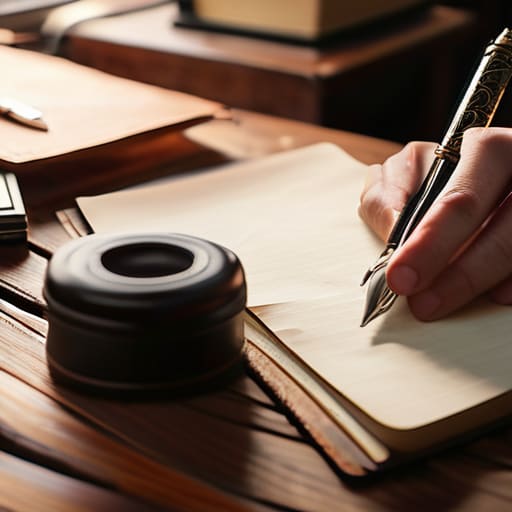
I’ve realized that I can’t just rely on willpower to keep me on track; willpower is a finite resource that runs out by 3:00 PM. Instead, I’ve started leaning into a few low-effort habits that help with cognitive load management. One of my favorites is the “physical reset.” Whenever I feel my brain starting to scatter, I step away from the screen, grab my pocket notebook, and write down the one thing I actually need to finish next. It sounds incredibly simple, but moving that thought from a swirling mental cloud onto actual paper stops the spiral before it starts.
Another thing that has been a total game-changer for my concentration is the “single-tab rule.” I used to pride myself on having twenty tabs open—the ultimate sign of a busy professional, right? Wrong. It was actually just a recipe for chaos. Now, I try to keep only the tabs necessary for my current task visible. It’s a basic way of improving concentration skills without needing a complex system or a fancy new app. If I’m not using it for the task at hand, it gets tucked into a bookmark folder. It’s not about being a perfectionist; it’s just about making sure my workspace doesn’t feel like a cluttered junk drawer.
Five Tiny Tweaks to Reclaim Your Focus
- Use the “One Tab Rule” when you’re deep in a task. I know, it sounds restrictive, but having twenty Chrome tabs open is basically just inviting chaos into your brain. If you aren’t using it for the specific thing you’re doing right now, close it or tuck it into a bookmark folder. Your brain will thank you.
- Try “Time Boxing” instead of a never-ending To-Do list. A list of twenty items is just a recipe for anxiety. Instead, look at your calendar and carve out a specific 45-minute block for one task. When the timer hits, you’re done. It turns a vague mountain of work into a manageable little hill.
- Create a “Distraction Log” in that physical notebook I’m always carrying. Whenever a random thought pops up—like “I wonder if I need more keycap lube” or “I should check that email”—don’t act on it. Just write it down and get back to work. You’ve acknowledged the thought, and you can deal with it once your actual work is finished.
- Curate a “Focus Soundtrack” that stays consistent. I can’t work in silence, but lyrics are a total distraction. I usually lean toward lo-fi beats or ambient brown noise. If you play the same playlist every time you sit down to grind, your brain eventually learns that this specific sound means “it’s time to focus.”
- Set a “Shutdown Ritual” at the end of your day. Distractions often happen because we’re mentally processing unfinished business from yesterday. Spend the last ten minutes of your workday clearing your desk and writing down your top three priorities for tomorrow. It lets you actually turn your brain off so you can recharge.
The TL;DR for a Smoother Tuesday
Stop fighting your brain and start managing your environment; if a notification or a messy desk is pulling you away, change the setup rather than relying on willpower.
Focus on “micro-wins” by tackling one small, repetitive task at a time to build momentum instead of staring down a massive, intimidating to-do list.
Give yourself permission to go analog when the digital noise gets too loud—sometimes a physical notebook and a pen are the best tools to regain control.
The Tuesday Survival Guide

At the end of the day, avoiding distractions isn’t about building some impenetrable fortress of solitude or mastering a complex, five-step ritual. It’s really just about the small, tactical moves we discussed: reclaiming your digital space, setting those tiny physical boundaries, and being a little more intentional with how you move through your workspace. You don’t need to be a productivity monk to get things done. If you can just manage to tame the notification chaos and keep your immediate environment from becoming a mess, you’ve already won more than most people do in a week. It’s about making the friction of starting a task just a little bit lower so you can actually get into the flow without the constant mental drag.
Look, some days are going to be total write-offs. You’ll have those Tuesdays where the distractions win, the focus slips, and you feel like you’re just spinning your wheels. That’s fine. Don’t let a bad morning turn into a bad week by trying to force a massive life overhaul. Just reset, grab your notebook, and try again tomorrow. We aren’t aiming for perfection; we’re just aiming for a slightly more orderly version of chaos. Focus on the next small task, handle it well, and let the rest of the noise fade into the background. You’ve got this.